Online collaboration worksheet for Years 3–6: Working together online
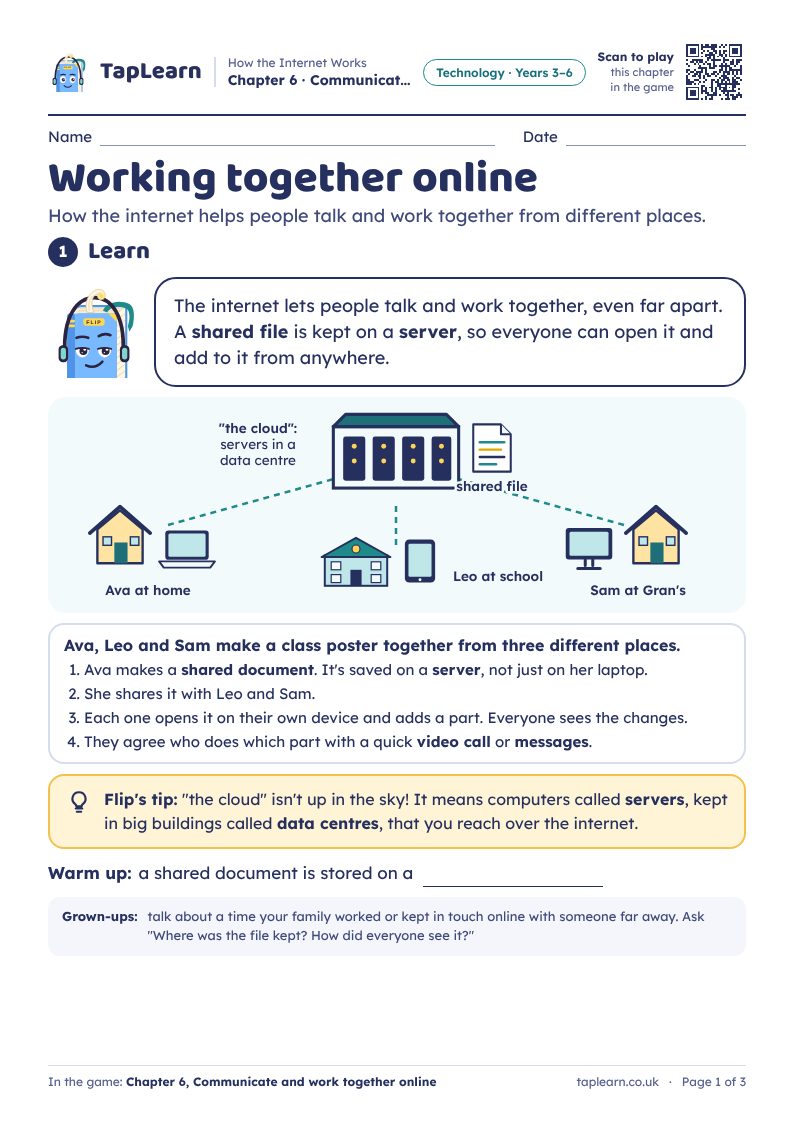
Working Together Online is a printable online collaboration worksheet for Years 3 to 6 (ages 7 to 11) that teaches children how the internet helps people communicate and work together from different places. It follows the KS2 computing curriculum in England: understand the services computer networks provide and the opportunities they offer for communication and collaboration.
This worksheet is for members
Membership opens every chapter of every game and every worksheet, for all your children.
See the plansAlready a member? Log in to print it.
Start with the free one: Computer networks (chapter 1).
Print it on A4, in colour or black and white. Do it after the chapter, or before it to see what your child already knows.
What's on the worksheet
Explain how the internet helps people communicate and work together from different places, where shared files are kept, and which way to communicate for each job. With a shared list activity and answers.
- Page 1 · Learn
- A picture of three children in different places sharing one file stored in a data centre, a worked example making a class poster together, and Flip's tip about the cloud.
- Page 2 · Try it together
- Our shared list: make a shopping list or day-out plan in a shared document, add to it from different rooms, and talk about where it's stored.
- Page 2–3 · Practise
- Choose the best way to communicate for four jobs, decide true or false, tick the good things about working online, and solve a sharing problem. Then a challenge about a letter.
- Answers sheet
- Every answer, what to watch out for (same place only, the cloud in the sky, the wrong tool) and a best-tool quiz.
3 A4 pages and an answers sheet · about 30 minutes
Using it at home
- A grown-up sets up the shared list for Try it together. No devices? Carry a paper list between rooms and compare the two ways.
- Talk about a real time your family kept in touch or worked on something online with someone far away.
Watch out for
- Thinking people must be in the same place to work on something together.
- Remind them of the shared list: two rooms, one document, both writing at once.
- Thinking "the cloud" is in the sky.
- It means servers in data centres: real buildings full of computers, joined to the internet by cables.
- Picking a way of communicating that doesn't fit the job, such as a letter for a quick chat.
- Ask "How fast do you need an answer? Do you need to see them?"
Questions from the worksheet
- Choose the best way to do each job: chat to Grandad and see his new puppy.
- True or false: "The cloud" is up in the sky.
- Tick the three good things about working together online.
- Mia and Sam both change the same sentence at the same time. What could go wrong? How could they stop it happening?
- Leo wants to ask his friend a quick question right now. He says, "I'll write a letter and post it." Is that the best way?
The answers are on the answers sheet, for grown-ups.
National curriculum in England
This worksheet practises this statement from the Years 3–6 computing programme of study:
- Understand computer networks including the internet; how they can provide multiple services, such as the world wide web; and the opportunities they offer for communication and collaboration
Source: National curriculum in England: computing programmes of study (DfE)
In the classroom
- Set up a shared class document and let groups add to it from different tables, then discuss where it is stored.
- Use the best-way set as a talk-partner activity before the challenge.
Questions and answers
What does online collaboration mean for children?
Online collaboration means working together over the internet, for example by adding to a shared document or talking in a video call, even when people are in different places.
What is the cloud?
The cloud means computers called servers, kept in big buildings called data centres, that store files and run services you reach over the internet. It isn't in the sky.
 TapLearn