Internet services worksheet for Years 3–6
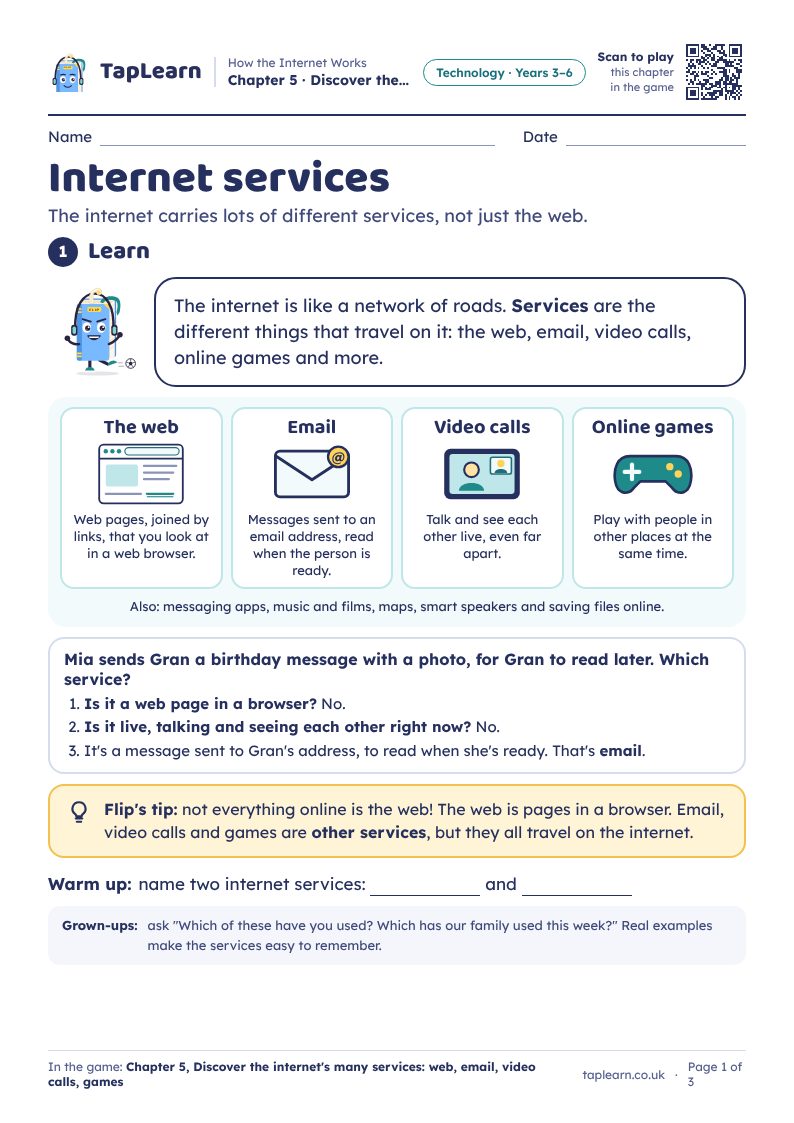
Internet Services is a printable internet services worksheet for Years 3 to 6 (ages 7 to 11) that teaches children that the internet carries many services, such as the web, email, video calls and online games. It follows the KS2 computing curriculum in England: understand the services computer networks provide and the opportunities they offer for communication and collaboration.
This worksheet is for members
Membership opens every chapter of every game and every worksheet, for all your children.
See the plansAlready a member? Log in to print it.
Start with the free one: Computer networks (chapter 1).
Print it on A4, in colour or black and white. Do it after the chapter, or before it to see what your child already knows.
What's on the worksheet
Name different services the internet provides, such as the web, email, video calls and online games, and choose the right one for a job. With an online day sorting activity and answers.
- Page 1 · Learn
- Cards for the web, email, video calls and online games, a worked example on which service Mia uses, and Flip's tip that not everything online is the web.
- Page 2 · Try it together
- Our online day: list everything your family did online, sort each one into a service, and decide whether it was a web page in a browser.
- Page 2–3 · Practise
- Name the service in four examples, ring what uses the internet, choose the best service for each job, and compare a video call with an email. Then a challenge about the web.
- Answers sheet
- Every answer, what to watch out for (everything online is the web) and ideas such as asking a grandparent how they kept in touch.
3 A4 pages and an answers sheet · about 30 minutes
Using it at home
- Our online day needs no device: just talk together about what everyone did online. It takes about 10 minutes.
- If you're not sure whether something was the web, ask "Did we open a browser and a web address?"
Watch out for
- Thinking everything done online is the World Wide Web.
- Ask "Did you open a web browser and visit a web page?" If not, it was another service.
- Thinking the internet and its services are the same thing.
- The internet is the network; services are the different jobs it carries, like vehicles on roads.
Questions from the worksheet
- Which service is it? Ava talks to her cousin in another country, and they can see each other.
- Does it use the internet? A paper letter in the post.
- Choose the best service: you want to send your teacher a story to read later.
- How is a video call different from an email? Write one difference.
- Sam says, "Everything I do online is the World Wide Web." Is he right?
The answers are on the answers sheet, for grown-ups.
National curriculum in England
This worksheet practises this statement from the Years 3–6 computing programme of study:
- Understand computer networks including the internet; how they can provide multiple services, such as the world wide web; and the opportunities they offer for communication and collaboration
Source: National curriculum in England: computing programmes of study (DfE)
In the classroom
- Make a class tally of online activities and sort them into services together.
- Use the best-service set as a pairs discussion before sharing answers.
Questions and answers
What services does the internet provide?
The internet provides many services, including the World Wide Web, email, video calls, online games, messaging, music and films, and saving files online.
Is email part of the World Wide Web?
No. Email is a separate service that uses the internet. Some people read their email inside a web browser, but email itself is not the web.
 TapLearn