Input, process, output worksheet for Years 4–6
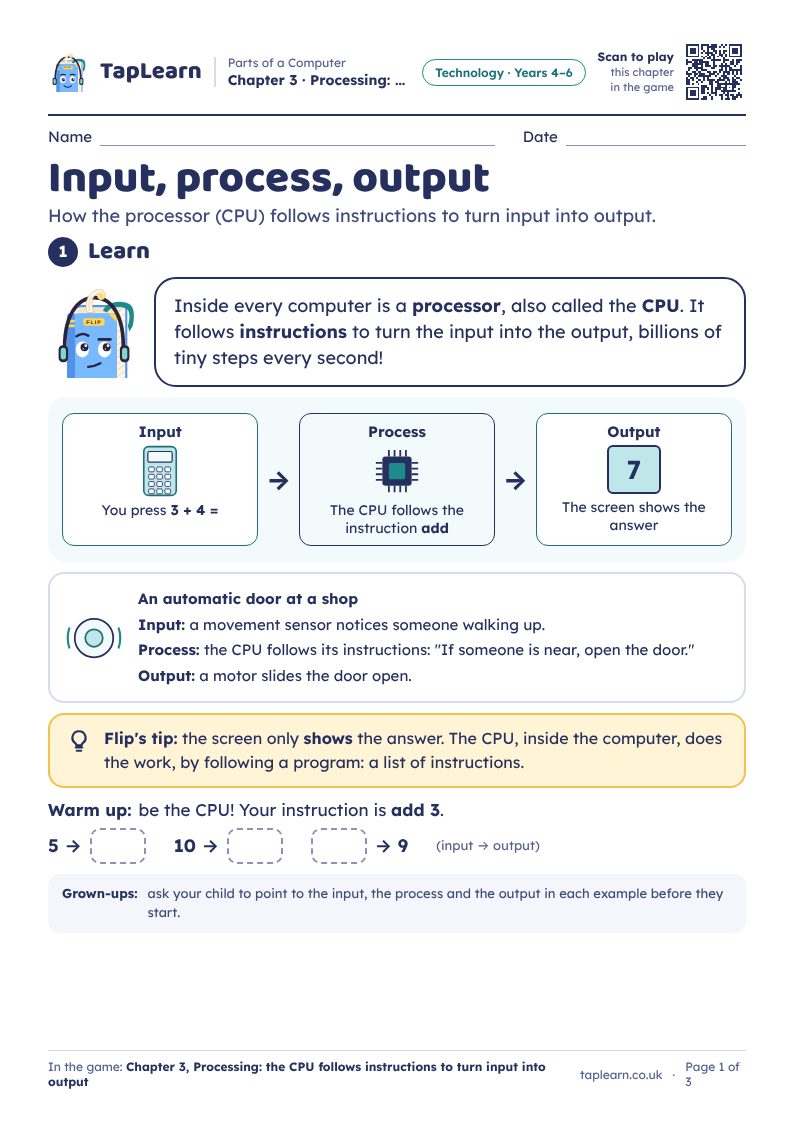
Input, Process, Output is a printable worksheet for Years 4 to 6 (ages 8 to 11) that teaches children that the processor (CPU) follows instructions to turn input into output, and to spot input, process and output in real devices. It links to the national curriculum in England for KS2 computing: select, use and combine a variety of software on a range of digital devices to accomplish given goals.
This worksheet is for members
Membership opens every chapter of every game and every worksheet, for all your children.
See the plansAlready a member? Log in to print it.
Start with the free one: Input devices (chapter 1).
Print it on A4, in colour or black and white. Do it after the chapter, or before it to see what your child already knows.
What's on the worksheet
Learn that the processor (CPU) follows instructions to turn input into output, and spot input, process and output in real devices. With a number machine game to play together and answers.
- Page 1 · Learn
- A calculator shows input, process and output, then an automatic door is worked through step by step. A warm-up asks the child to be a CPU that adds 3.
- Page 2 · Try it together
- Number machine: a grown-up secretly picks an instruction such as double it, the child gives inputs and records outputs until they guess it, then they swap. Then fill gaps in a device table.
- Page 3 · Practise
- Label the steps of a night light I, P or O, true or false statements about the CPU, a two-step number machine, and a challenge about what the screen does.
- Answers sheet
- Every answer by page, with notes on thinking the screen does the thinking and mixing up the CPU and storage.
3 A4 pages and an answers sheet · about 30 minutes
Using it at home
- Play the number machine game first: it takes about 10 minutes, and swapping jobs lets your child set the secret instruction too.
- Ask "What happened first, next and last?" for any device you use, to practise input, process and output.
Watch out for
- Thinking the screen does the computer's thinking.
- Say "The screen shows; the CPU works it out." The CPU inside the computer follows the instructions, and the screen only shows the result.
- Mixing up the processor with storage, the part that keeps files.
- The CPU follows instructions; storage keeps saved files. They are different parts.
- Mixing up which step is input, process and output.
- Input always comes first, then the process, then the output. Ask "What happened first?"
Questions from the worksheet
- A night light turns on by itself. Write I (input), P (process) or O (output) for each step.
- True or false: the screen does the computer's thinking.
- This CPU follows two instructions in order: double it, then add 1. What is the output when the input is 10?
- Ava says, "When I play a game, the screen works out what happens next." Is she right? Explain what really happens.
The answers are on the answers sheet, for grown-ups.
National curriculum in England
This worksheet practises this statement from the Years 3–6 computing programme of study:
- Select, use and combine a variety of software (including internet services) on a range of digital devices to design and create a range of programs, systems and content that accomplish given goals, including collecting, analysing, evaluating and presenting data and information
Source: National curriculum in England: computing programmes of study (DfE)
In the classroom
- Play the number machine as a whole-class starter, with the teacher as the CPU and pupils guessing the rule.
- Use Practise B as a mini-whiteboard check: pupils hold up I, P or O for each step.
Questions and answers
What does the CPU do in a computer?
The CPU, or processor, follows instructions, called a program, to turn input into output. It carries out billions of tiny steps every second, but it doesn't decide anything for itself.
What is input, process, output?
It is the way every computer works: information goes in (input), the CPU follows instructions to work on it (process), and the result comes out (output), such as 3 + 4 on a calculator showing 7.
 TapLearn