What you'll learn
- How input devices like keyboards and sensors send information in
- How output devices like screens, speakers and printers show results
- What the CPU does when it follows instructions
- Why memory (RAM) forgets everything when the power goes off
- How storage keeps saved files, from SSDs to cloud storage
- How to choose devices and software for a data project
Chapter by chapter
- Input devices: how a computer gets information Free to try
Years 3–6 computing · 1
- Output devices: how a computer shows results
Years 3–6 computing · 1
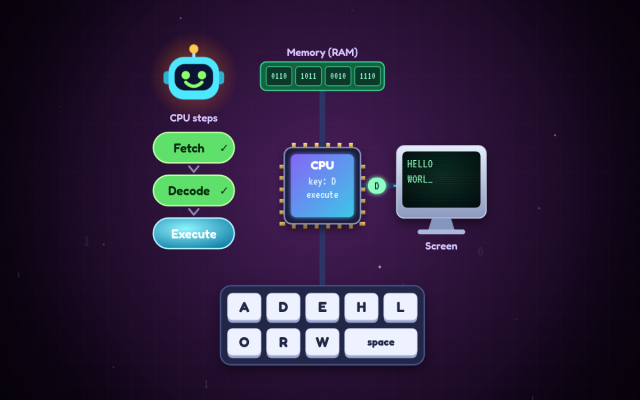
- Processing: the CPU follows instructions to turn input into output
Years 3–6 computing · 1
- Memory (RAM): the computer's short-term workspace
Years 3–6 computing · 1
- Storage: saving files to keep them for later
Years 3–6 computing · 1
- Choosing devices and software to collect, analyse and present data
Years 3–6 computing · 1
- Inside a computer: master quiz (10 questions)
What the chapters cover in the national curriculum in England:
- Years 3–6 computing: Select, use and combine a variety of software (including internet services) on a range of digital devices to design and create a range of programs, systems and content that accomplish given goals, including collecting, analysing, evaluating and presenting data and information
About this adventure
Parts of a Computer is an interactive game that teaches children aged 8–11 what the main parts of a computer do: input devices, output devices, the processor (CPU), memory (RAM) and storage. It follows the KS2 computing curriculum in England and is pitched at Year 5.
Byte the robot guides players as they tap devices to send information into a computer, sort gadgets into input, output or both, and open the case to find the CPU. They feed numbers into a machine to see how the CPU follows instructions, fill up memory until the computer slows down, and switch the power off to discover why unsaved work disappears but saved files stay in storage.
Narration reads every instruction aloud, and quick questions with hints check understanding along the way. A ten-question master quiz rounds everything off.
Questions and answers
What are the main parts of a computer, in simple words?
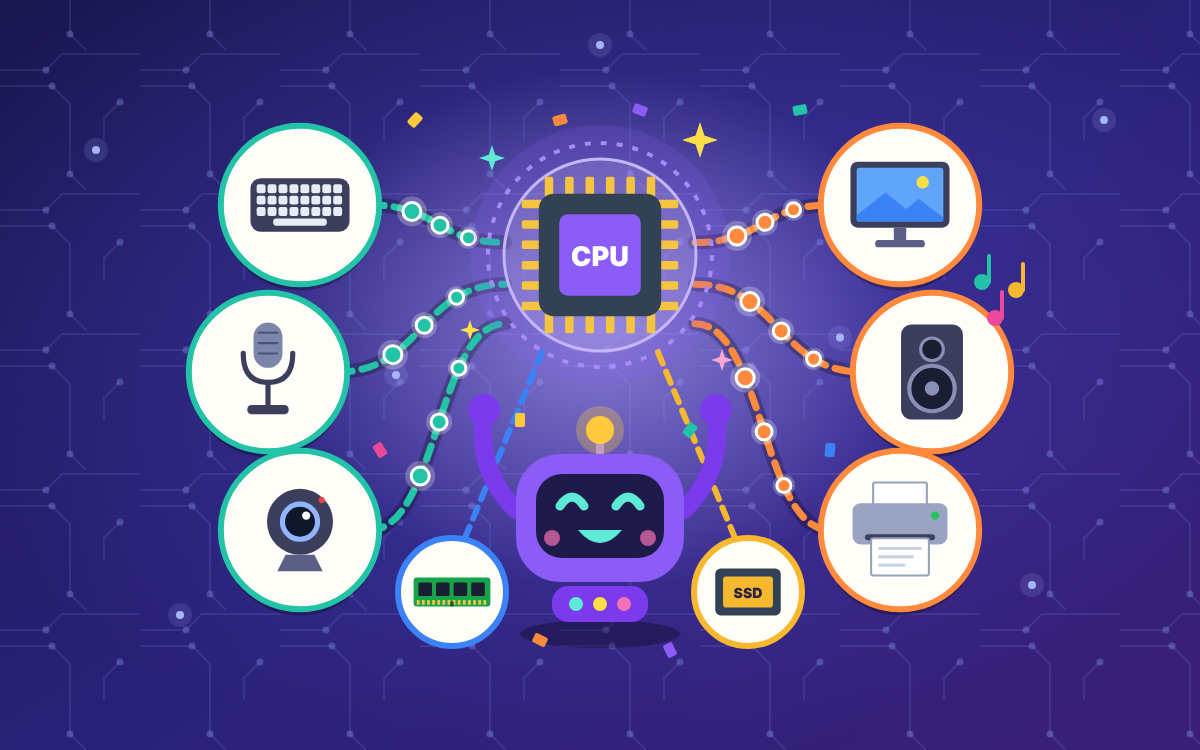
The main parts of a computer are input devices, the processor (CPU), memory, storage and output devices. Input brings information in, the CPU works on it, memory holds what is being used right now, storage keeps files, and output shows the results.
What is the difference between input and output devices?
Input devices send information into a computer, while output devices bring results out of it. A keyboard, mouse and microphone are inputs; a screen, speaker and printer are outputs. Some devices, like a touchscreen, do both.
What is the difference between memory and storage on a computer?
Memory (RAM) holds what the computer is working on right now and loses it when the power goes off. Storage, such as a solid state drive or USB stick, keeps saved files even when the computer is switched off.
What age is this parts of a computer game for?
The game is designed for children aged 8 to 11 and is pitched mainly at Year 5 of the KS2 computing curriculum. Younger players can still enjoy it with an adult reading along, as every instruction is also spoken aloud.
How long does the game take and what does it include?
Playing everything takes about 45 minutes. There is an optional warm-up, six chapters that can be played in any order, and a ten-question master quiz, so children can also play one chapter at a time.

 TapLearn